
In 2026, patient access decides trust before the visit
 If your front desk feels like it’s drowning, phones stacking up, patients getting frustrated, schedules breaking, and your team burning out you’re not alone. In 2026, missed calls, long hold times, and no-shows aren’t just “busy season” problems; they’re the fastest way patient trust and revenue quietly leak out of a practice unless you add a virtual receptionist for medical office support to keep every call, schedule change, and patient request moving.
Here’s the good news: you can stabilize patient access fast. This playbook shows exactly how to reduce abandoned calls, tighten online scheduling, and protect your calendar in as little as 14 days and where a virtual receptionist for medical office support model fits to keep coverage consistent when your in-house team is maxed out.
Before patients meet the clinician, they’re already forming an opinion based on how quickly they can reach you, how clearly they’re guided, and whether booking feels simple or stressful.
HIPAA, confidentiality, and a secure front-desk standard
 In 2026, patients have a higher expectation for fast answers but speed can’t come at the expense of privacy. Whether support is on-site or remote medical, every call, message, and scheduling step is a critical patient-facing interaction that must protect patient health information.
That means treating patient data and PHI with a strict approach to security, clear workflows, limited access, and documented handling rules so the experience stays safe, compliant, and consistent for patients and healthcare providers alike.
When your front-desk workflow is designed to streamline intake and scheduling while maintaining confidentiality, access becomes more efficient without increasing risk. The right virtual coverage can provide standardized scripts, escalation rules, and quality checks and many practices also benefit from bilingual support to reduce miscommunication and repeat calls.
The 4 patient access breakdowns driving missed calls and no-shows
 Phone overload: hold times, voicemail pileups, abandoned calls
 Phone overload: hold times, voicemail pileups, abandoned calls
When patients say, “I tried calling three times,” voicemail becomes your default “triage system,” or staff stop answering just to catch up, it’s a clear sign your phone calls are outpacing capacity. Start by building a call map with 6–10 reasons that cover about 80% of volume (appointments, refills, results, billing, records, urgent symptoms, referrals, portal help).
Set professional standards to answer in under 60 seconds, keep abandon rates under 5%, and route urgent symptom calls immediately to ensure safety and consistency. Next, add overflow coverage during predictable peaks, and consider receptionist solutions like a virtual receptionist for medical office workflow to handle surges at a lower cost, support appointment scheduling, and keep scheduling appointments moving even when the front desk is overwhelmed.
Patient-facing line you can use: “If you can’t get through, our virtual receptionist for medical office phone lines will call you back the same day.”
Online scheduling gaps that create chaos
Online scheduling works best when it matches how your clinic actually operates. It can make booking more seamless, but without guardrails it creates confusion, wrong visit types, misrouted appointments, and extra back-and-forth that clogs patient calls.
Start with repeatable visit types (follow-ups, annuals, simple acute visits), then add prompts that capture the right inquiry up front symptom questions, insurance checks, and provider/location rules so patient communication stays clear. Keep a human QA step for exceptions to maintain accuracy and HIPAA-compliant handling of details, ensuring patients arrive in the right slot with fewer errors and fewer phone tags.
 Appointment wait times caused by scheduling design
Appointment wait times frustrate patients most when “routine” care stretches to 4–8 weeks. Often, that’s not purely demand, it’s scheduling design. Add daily access blocks reserved for urgent needs, use smarter follow-up cadence so you’re not booking “just in case,” and tighten visit types and time templates so the day runs predictably.
Small templates change compounds quickly and can improve access without adding clinic hours
No-shows that quietly destroy schedule utilization
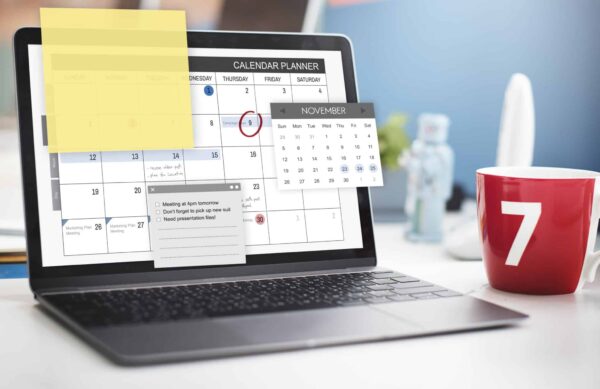
No-shows kill schedule utilization so make canceling easier than disappearing. Use SMS/email/phone confirmations for high-risk patients, add “easy cancel” links, and run short-notice waitlists (“Want an earlier slot? Reply YES.”).
A virtual receptionist for medical office or virtual medical receptionist can handle confirmations, waitlist outreach, and rescheduling, so your team isn’t squeezed by extra administrative tasks between check-ins freeing them to focus on patient care.